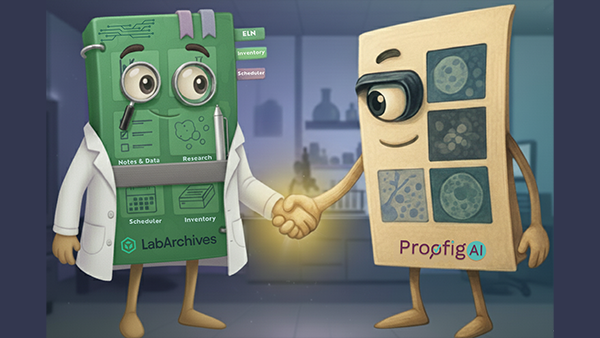
The problem hasn’t changed. The timing has.
Up to 20–35% of life science manuscripts contain image issues. A single retraction can cost an institution more than $1 million and that figure doesn’t include the reputational damage, funding scrutiny, or researcher career impact that often follows.
What has changed is when the check happens.
For most research teams, image integrity screening takes place at the end of the process, during journal submission or peer review, when figures are finalized and manuscripts are drafted. By that stage, any problem discovered means significant rework. Catching an error isn’t just inconvenient. It can be career-defining.
LabArchives users can now connect to Proofig AI
LabArchives users can now connect their ELN notebooks to Proofig AI, pulling images directly from any notebook page into Proofig’s AI-powered screening engine, without manual exports or file management.
The connection is straightforward: inside Proofig AI, researchers select LabArchives as their image source, authenticate once, and choose the notebook page they want to analyze. Proofig AI handles the rest, aggregating images, running analysis, and generating a structured report. The screening takes place in Proofig AI. LabArchives is where the images live.
This connection is now available to all LabArchives ELN for Research users with a Proofig AI account.
Integrity at the source
Traditional screening finds problems late. This connection moves image validation upstream, to the point in the research process where images are still being documented, reviewed, and discussed as part of active work.
That matters because images are far easier to investigate and address in the ELN stage than after they’ve been processed into figures, incorporated into manuscripts, and submitted. Earlier review gives researchers and their teams the opportunity to document, correct, or repeat work while the context is fresh and the options are open.
By connecting Proofig AI to LabArchives, research teams can:
- Review images for potential issues while they’re still part of active, documented work
- Pull images directly from notebook pages, no separate exports or duplicate uploads
- Access findings in a structured report generated inside Proofig AI
- Encourage consistent integrity practices as part of standard ELN-based research documentation
What Proofig AI helps detect
Proofig AI uses models built specifically for scientific imagery to screen for four categories of integrity issues:
Duplication and reuse
Detects identical or altered sub-images reused within a manuscript, including scaled, rotated, flipped, and partially overlapping copies.
Alteration and manipulation
Identifies changes made within a single image, including cloning, cropping, deletion, editing, and splicing.
Reuse from published papers
Cross-references images against PubMed’s database of tens of millions of published sub-images to identify unauthorized reuse from prior literature.
AI-generated images
Flags synthetic scientific images created by AI tools, with continuous updates as new generation models emerge.
These checks work across the image types most common in life science research: microscopy, western blots, flow cytometry (FACS), in-vivo, in-vitro, and more.
Proofig AI’s detection achieves 99.4% image extraction precision, with false positive rates below 0.01% on western blot and microscopy datasets — high enough to surface genuine issues without creating noise for researchers to sort through.
How the workflow works
The connection follows four steps, all of which take place in Proofig AI:
1. Sign in to Proofig AI
Create an account at app.proofig.com or log in to your existing account.
2. Activate your access
Use the promo code provided in your LabArchives launch email to activate your complimentary trial.
3. Connect LabArchives
Inside Proofig AI’s submission flow, select LabArchives as your image source. Sign in to your LabArchives account and choose the notebook page whose images you want to analyze. Proofig AI pulls the images from that page directly.
4. Review findings and generate a report
Proofig AI analyzes your images and highlights suspected issues for your review. When you’re ready, generate a structured PDF report to support documentation, internal review, or journal submission.
Already have a Proofig AI individual or group license? Contact Proofig to link your accounts. Proofig activates the connection on their end — no action required in LabArchives.
Enterprise license holders (Proofig + LabArchives): Watch the tutorial on the Proofig AI ELN page and connect your accounts directly to begin using the workflow.
What this means for research teams and institutions
Research institutions face growing scrutiny from funding agencies, journal editors, and internal integrity offices. The cost of a problem discovered post-publication, in investigations, corrections, retractions, and reputational impact, is substantially higher than the cost of catching it early.
Building image screening into the ELN stage helps teams:
- Catch potential issues before submission, when corrections are straightforward
- Reduce the likelihood of journal rejections tied to image concerns
- Create a traceable record of integrity checks conducted during the research process
- Support institutional best practices in research data management and asset governance
This isn’t a compliance exercise. It’s a practical check that protects the researcher’s work, and the institution’s credibility, at the point in the process when it’s least disruptive.
Start free, scale as you need
LabArchives users can get started at no cost. A complimentary trial is available through the end of 2026, covering up to 3,000 sub-images, enough capacity to meaningfully screen multiple manuscripts. No subscription is required to activate.
For researchers or institutions that need expanded capabilities, full image upload workflows, larger analysis volumes, and advanced review tools, Proofig AI’s subscription plans are available at proofig.com/pricing-page/.
Get started today
Create a Proofig AI account, activate your access with the promo code from your LabArchives email, and run your first scan in minutes. Your first 3,000 sub-images are included at no charge.

 Record, organize, search and share your scientific data
 Streamline organizing, tracking and ordering lab inventory
 Manage and schedule lab equipment and resources
 Secure, compliant, government-approved solution